Editing a Partner
Note - this is editing a Partner’s basic information, not their Partner Profile. What’s the difference? The basic Partner information is what you enter when you are initially creating the Partner, whereas the Partner Profile contains a high level of detail that can be entered by the Partners themselves.
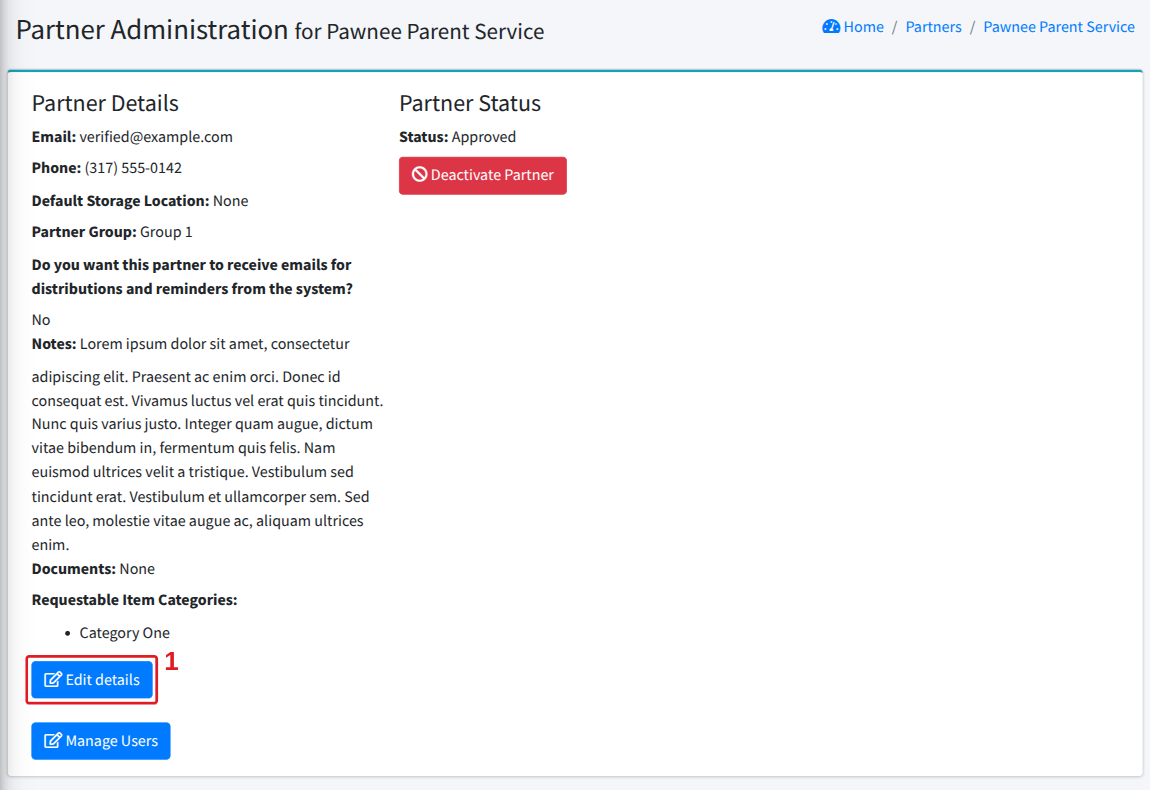
You can edit a partner’s basic information by clicking [Partner Agencies] in the left-hand menu, then [All Partners], then click on the partner you want to work with.
That will bring up this screen. Click “Edit details” to bring up the Partner edit screen:
This is the same selection of information you provided when you initially added the partner (see Adding a Partner for what each field does).
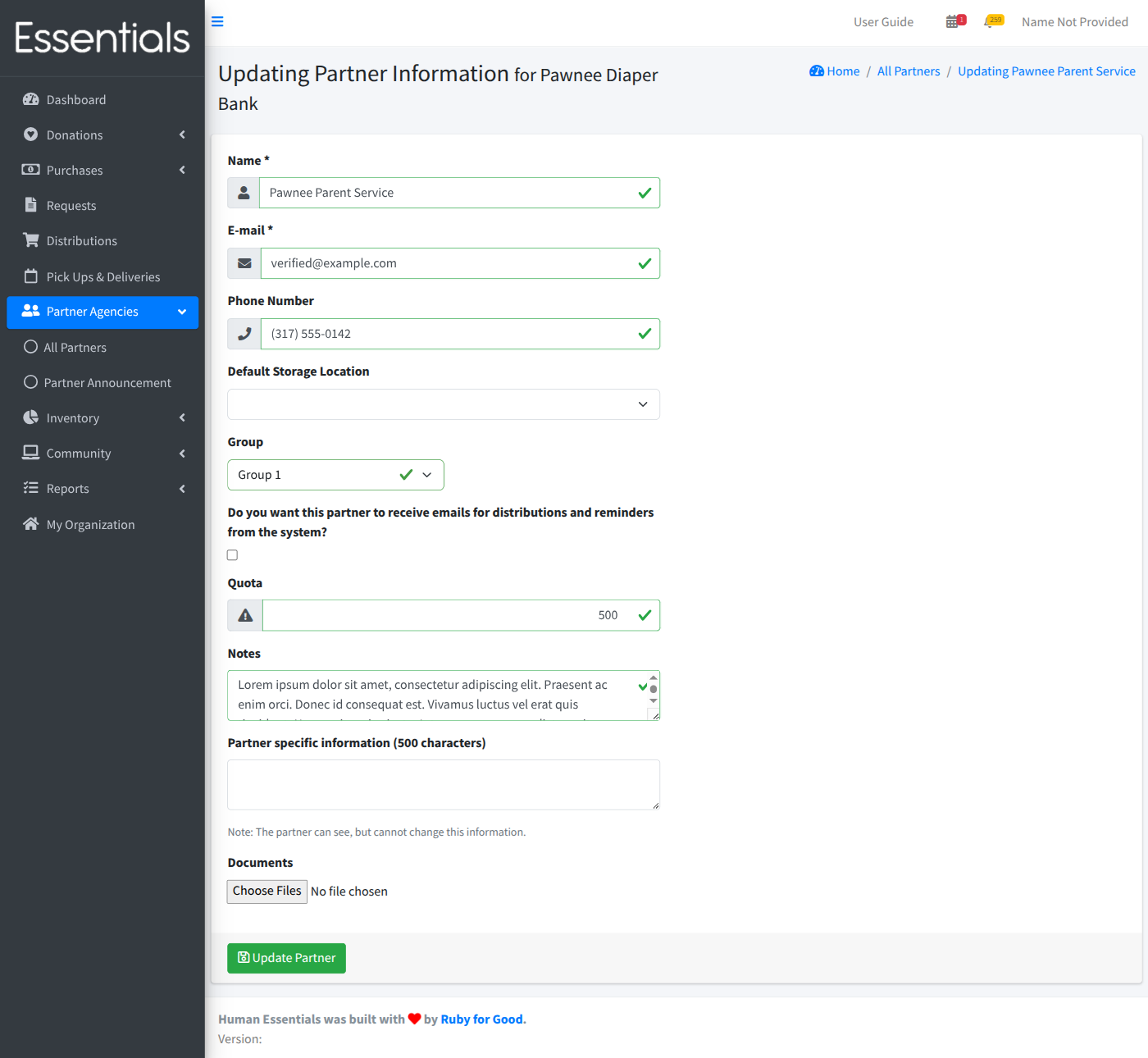
Make your changes, and click “Update Partner” to save.